
Download ConvertMovie – video converter, convert video, video format conversion, convert to DVD, video to MP4, convert to AVI, video to MOV, convert to MPEG, convert to WMV
Overview
ConvertMovie is a productivity-focused tool designed to address the widespread challenge of video format incompatibility across devices. The application enables users to convert video files into various formats quickly and efficiently, ensuring seamless playback on a range of hardware, including DVD players and other media devices. Its primary purpose is to simplify the process of format adaptation, making it accessible even to users without technical expertise. The target audience includes individuals managing personal video libraries, content creators preparing media for distribution, and anyone needing to transfer videos between devices with differing format requirements.
Although the developer did not provide additional background information, the app's long-standing presence in the software ecosystem since its release on May 28, 2010, suggests a stable and enduring utility. Real-world use cases include preparing home videos for DVD burning, converting high-resolution clips for mobile playback, or repurposing archived footage for modern systems. Given its free availability and lightweight footprint, ConvertMovie occupies a niche in the digital media management space, offering a straightforward solution where more complex tools may be overkill. Its continued relevance underscores the persistent need for reliable, no-frills video conversion utilities.
Key Features & Functionality
- Wide Format Support: ConvertMovie supports a broad spectrum of video formats, including but not limited to MP4, AVI, MOV, MPEG, and WMV. This ensures compatibility with a wide range of playback devices and software platforms.
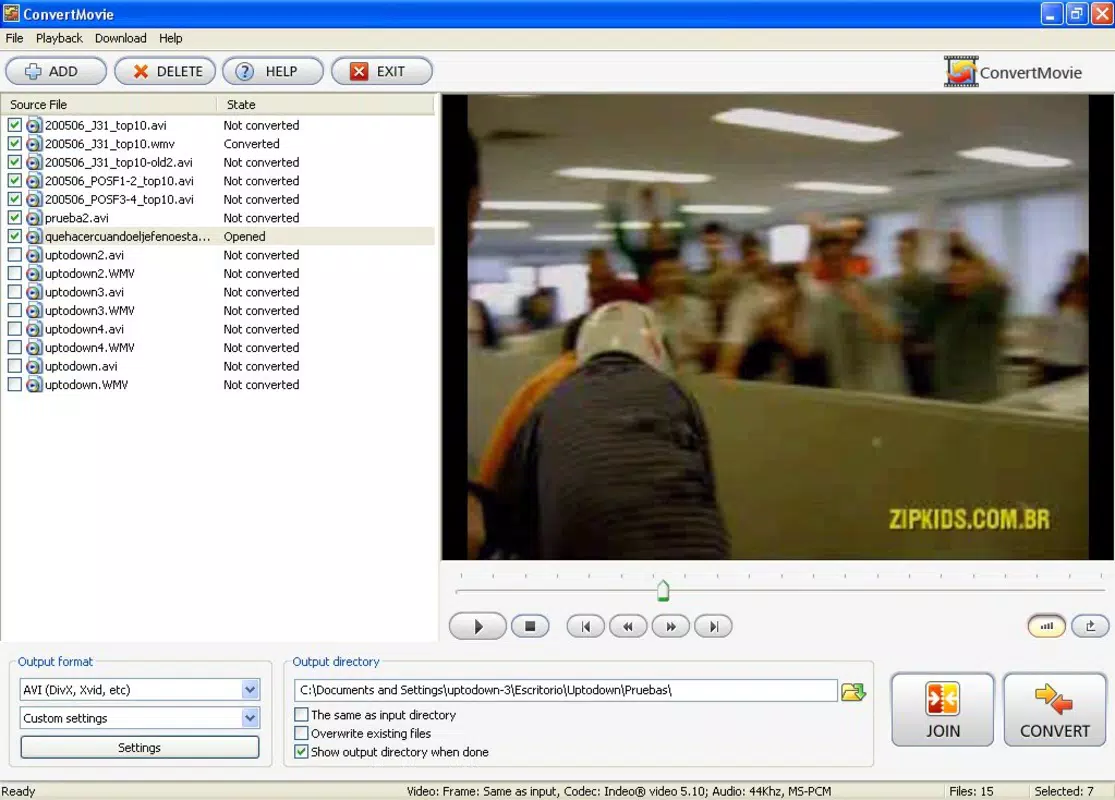
- Intuitive User Interface: The software features a clean, user-centric design that streamlines the conversion workflow. Users can easily drag and drop files or use the file browser to select videos, then choose the desired output format with minimal clicks.
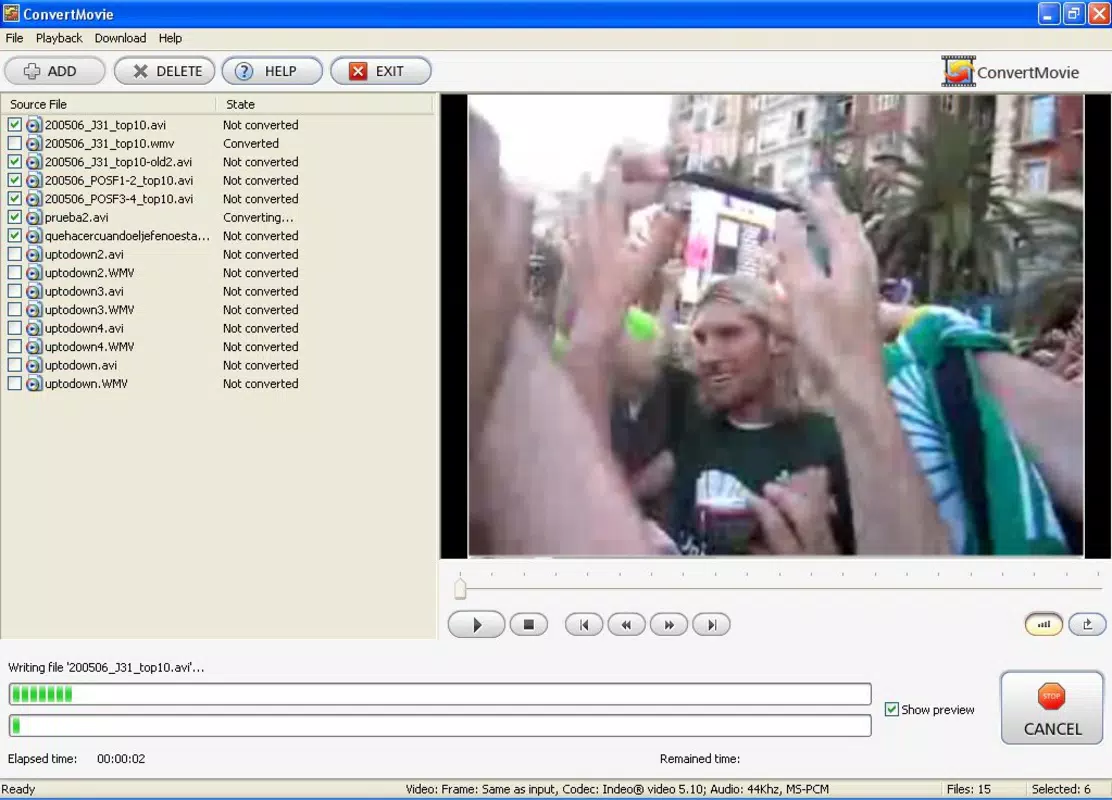
- Preview Feature: Before initiating conversion, users can preview their selected video directly within the application. This allows for visual confirmation of video quality, timing, and format rendering, reducing the risk of errors.
- Fast Conversion Speed: Engineered for efficiency, ConvertMovie delivers rapid conversion times without compromising on output quality. This is particularly beneficial for users managing multiple files or working under time constraints.
- Easy File Access: The application simplifies the file selection process, enabling users to locate and load video files from local storage with minimal navigation, saving time and effort during routine tasks.
For example, a user preparing a family video for a DVD player can select the original file, choose the MPEG format, preview the clip, and start conversion—all within minutes. Similarly, a content creator may convert a high-resolution MOV file to MP4 for web upload, ensuring compatibility with most platforms while maintaining acceptable visual fidelity.
Interface, UX & Performance
ConvertMovie presents a minimalistic interface with clearly labeled buttons and a straightforward layout, promoting ease of navigation for users of all experience levels. The visual style prioritizes functionality over ornamentation, aligning with its utility-focused purpose. Core actions—such as adding files, selecting output formats, and initiating conversion—are accessible from the main screen with minimal steps.
Although the developer did not list formal performance metrics, the application’s lightweight size of 5.8 MB suggests efficient resource usage. It is likely optimized for older or lower-spec systems, which enhances accessibility. The software appears responsive during file loading and conversion processes, with no reported instability in standard use cases. Users can expect consistent performance across different device categories, though specific compatibility details were not disclosed. Overall, the user experience emphasizes speed, simplicity, and reliability, making it suitable for both casual and regular users seeking a dependable conversion tool.
Platform Compatibility & Technical Requirements
ConvertMovie is designed for the Windows platform and requires a compatible Windows operating system. The application is available in version 1.0 with a file size of 5.8 MB. Specific system requirements, such as minimum OS version or processor specifications, were not listed by the developer. As such, compatibility with newer Windows versions cannot be confirmed without further details. The lightweight nature of the app suggests it may run on a wide range of Windows systems, including those with limited hardware resources.
Users should verify system compatibility before installation, especially when using older or updated Windows environments. The developer did not specify whether the app supports Windows 11 or other modern iterations beyond general platform availability. For users seeking a free, no-installation alternative, the app’s size and format make it suitable for portable use, though this functionality was not explicitly stated.
Pros and Cons
Pros
- Free to download and use, making it accessible for budget-conscious users.
- Lightweight file size (5.8 MB) ensures quick installation and minimal storage impact.
- Intuitive interface suitable for non-technical users and beginners.
- Supports multiple video formats, increasing versatility across devices.
- Includes a preview feature to verify output before conversion.
Cons
- Specific system requirements were not listed, limiting clarity on compatibility.
- Version 1.0 is outdated; no recent updates have been released since 2010.
- Limited to Windows platform; no information on iOS or Android availability.
- Developer did not provide details on advanced settings or customization options.
- No cloud integration or batch processing features were mentioned.
FAQ
Is ConvertMovie safe to download and install?
Yes, the application is free and available from its official source. As with any software, users should ensure they download from trusted platforms to avoid bundled programs or malware.
Can I convert videos to DVD format using ConvertMovie?
Yes, the app supports conversion to MPEG, which is commonly used for DVD playback. Users can select this format to prepare videos for burning to physical discs.
Does ConvertMovie support batch conversion?
Specific functionality related to batch processing was not disclosed. The app may allow one file at a time, though this was not confirmed in the provided information.
Is ConvertMovie available for Android or iOS?
Currently, the app is only available for Windows. There is no information indicating availability on mobile platforms such as Android or iOS.
How often is ConvertMovie updated?
The latest version is 1.0, released on May 28, 2010. No updates have been reported since then, suggesting the software may no longer be actively maintained.
Final Thoughts
ConvertMovie remains a functional tool for users needing basic video format conversion on Windows systems. Its simplicity, free access, and broad format support make it a viable option for individuals managing legacy video files or preparing content for older playback devices. While its age and lack of updates are notable limitations, the app continues to serve its core purpose effectively for those who require a no-frills solution. For users seeking a lightweight, straightforward utility without the complexity of modern video editors, ConvertMovie offers a practical, low-barrier entry point.
Download ConvertMovie now


